
Features
Tap in, tap out
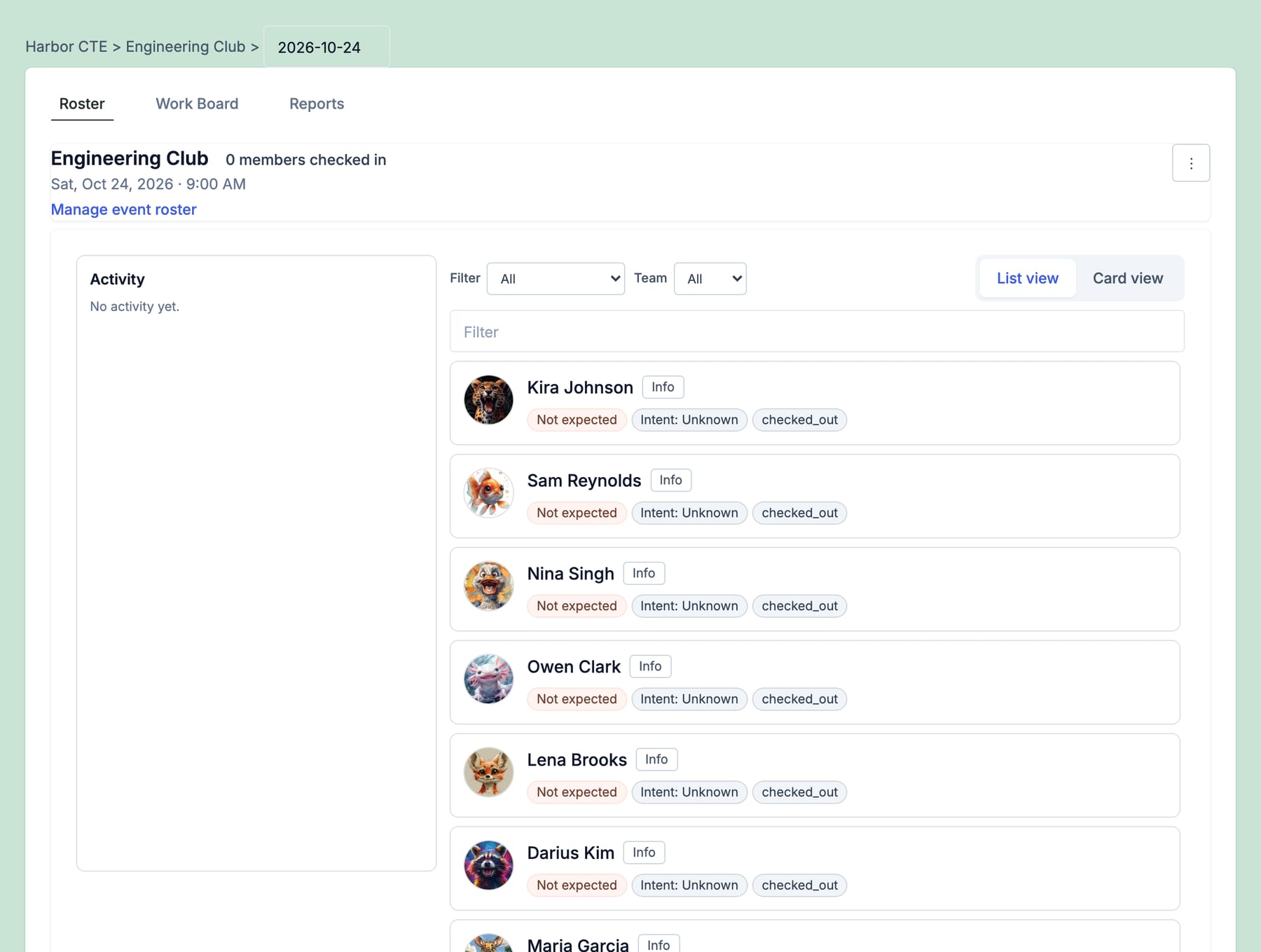
Badge check-in and check-out for practice, class, and program nights. Students tap an RFID badge at the door, Podz logs who came and when they left, and coordinators skip the paper sign-in sheet.
- 01
One tap
Same badge checks in on arrival and checks out on the way home
- 02
Hands-free
In, out, and error tones, so the line keeps moving
- 03
Auto check-out
Forgot to tap out? Podz closes it after the session ends
See it in action
One tap on the way in. One tap on the way out.
A USB RFID reader at the door checks people in to the session running right now. A second tap checks them out, and each one plays a distinct tone so nobody has to watch a screen.
A familiar moment
6:02 pm, practice night. Thirty students come through the door in four minutes. Nobody is holding a clipboard. Each tap beeps, and by 6:05 you know who's in the room and who is still missing.
01
A reader at the door, not a person with a clipboard
Plug a USB RFID reader into a laptop by the door. Each tap goes to the event running right now or the next one to start, and when sessions overlap it uses the one the person is registered for. Student ID badges, NFC cards, and barcodes from the roster all work.
02
Check-out shows who stayed
The same badge taps people out, so you get time in the room, not just a headcount. If someone forgets, Podz checks them out an hour after the session's scheduled end, so last night's records don't stay open.
03
Equipment checkout on the same reader
Put an NFC tag on a laptop, a drill, or a robot kit. Tap the tag, then a badge: an available item is checked out to that person, and the holder's badge checks it back in. Loan history stays on the item, and that tap doesn't count as attendance.
04
Attendance that feeds follow-through
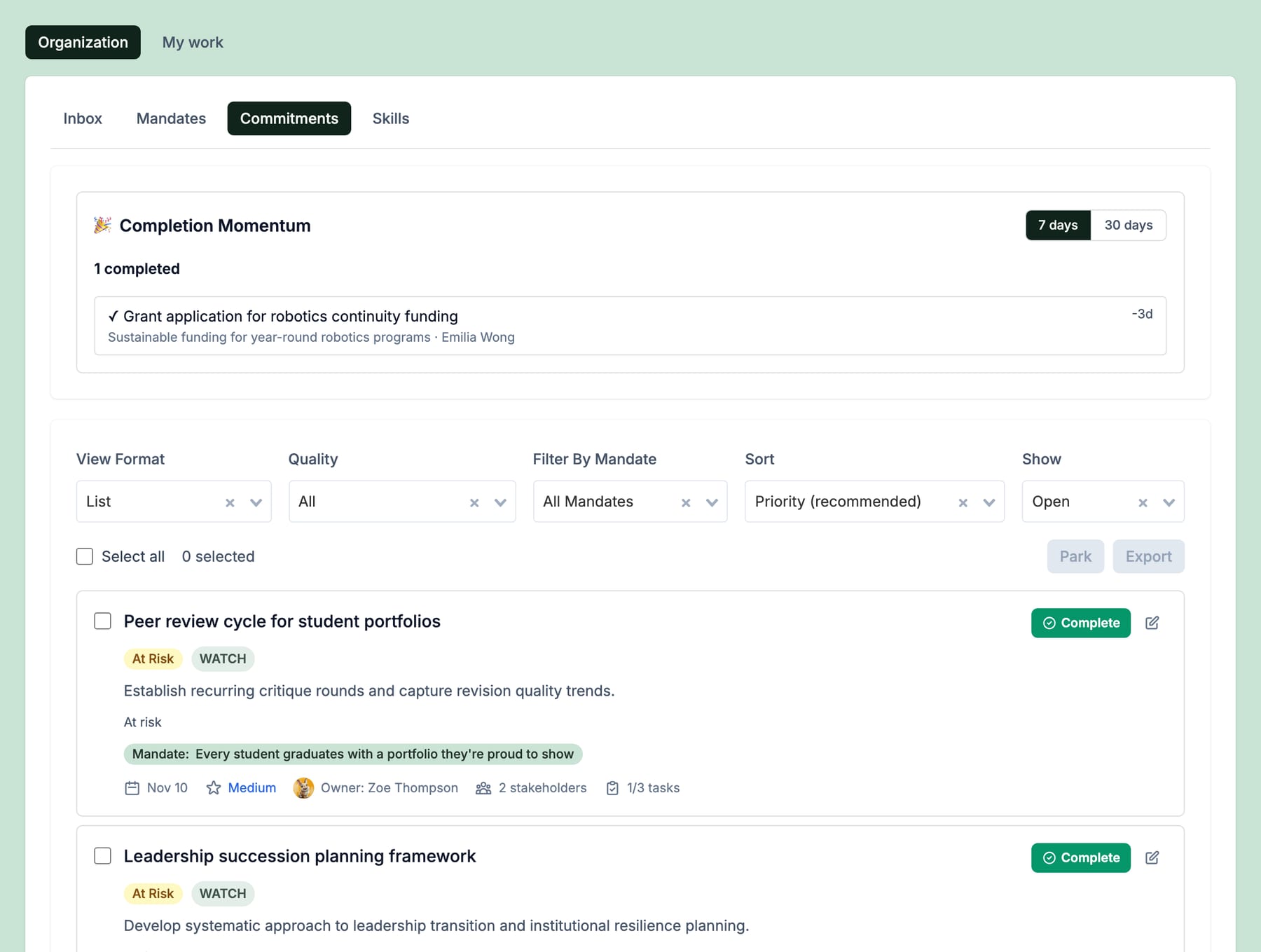
Check-ins land in Event Hub next to the roster, so who is still missing stays on screen. Follow-up commitments start from there, like reaching out to a student who has missed two practices.
Ready to make responsibility visible?
Start free. Mandates, commitments, and computed health in minutes.